How To Sell More Event Merchandise Through Your Ticketing Platform
-
 by
by
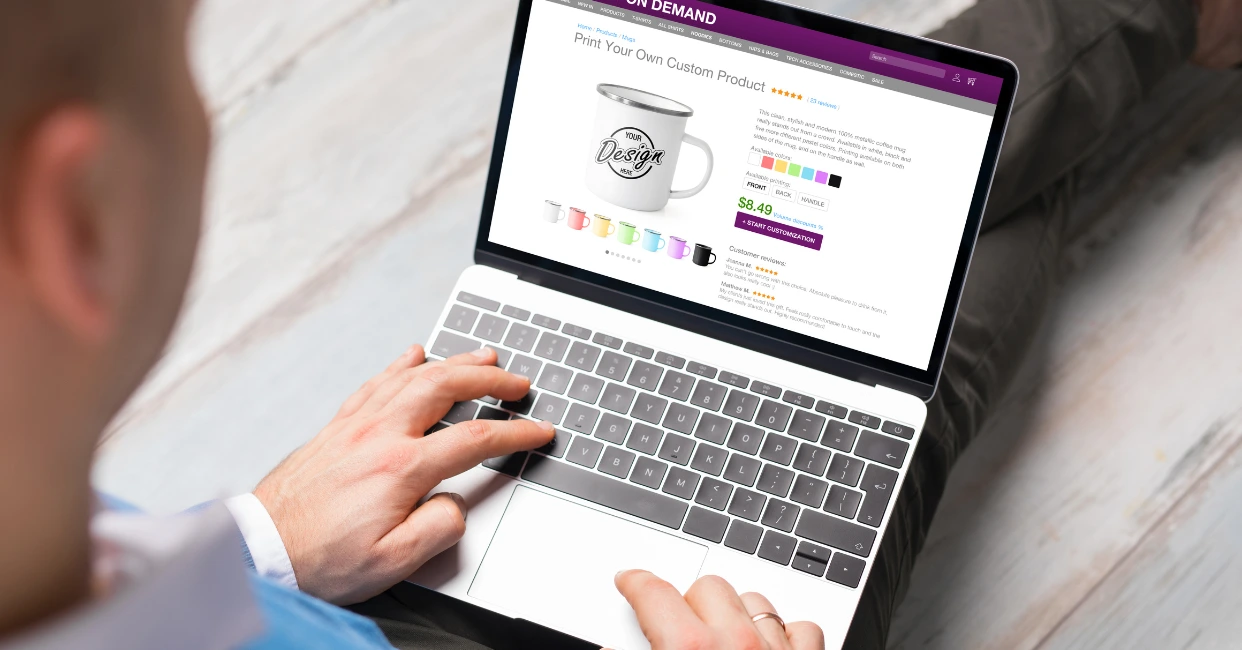
Ever wondered how much revenue you might be leaving on the table by keeping merchandise sales separate from ticketing? When you sell event tickets online, separating merchandise from the purchase flow means missing crucial sales opportunities. Many organizers focus solely on ticket sales, overlooking how the ticketing platform can drive significant merchandise revenue.
From optimizing bundles to leveraging data for personalized offers, using your ticketing platform for merchandise sales isn’t just about convenience—it’s about boosting revenue in ways you may not have considered. Here’s how to do it strategically and effectively.
Bundle Tickets and Merchandise Without Cutting Margins
Bundling tickets with merchandise works best when the pricing feels like a deal to attendees but doesn’t undercut your profits. Success requires precise calculations:
- Analyze price sensitivity: If a ticket costs $50 and a t-shirt costs $25, offering a bundle at $65 can feel like a win for attendees while maintaining a healthy profit margin.
- Test popular combinations: Past sales data might reveal that general admission tickets and t-shirts are the most requested combination, while VIP attendees prefer hoodies or premium items.
Platforms that sell event tickets online can integrate these bundles at checkout, making it easy for attendees to select their preferred option while increasing the overall cart value. Offering bundle discounts as limited-time options further incentivizes purchases during the early ticketing phase.
Digital QR Codes Simplify Pre-Orders
Pre-purchased merchandise often leads to logistical issues at the event. Attendees may receive the wrong size or change their preferences, resulting in returns or exchanges. Issuing QR codes for pre-purchased items can solve these problems. Once an attendee buys a ticket and selects merchandise, a QR code is sent to their email. At the event, they scan the code at the merchandise booth to confirm or adjust their order.
This system allows organizers to reduce waste and stock only what’s needed. Attendees also appreciate the flexibility, as they can finalize their choices on-site without long delays.
Timing Is Everything in Merchandise Sales
When merchandise is offered during the ticketing process can significantly impact sales. Adding items during the ticket checkout process often triggers impulse purchases, especially when promoted as limited-time offers. For example, offering an exclusive event hoodie at a discounted price during the initial ticket sale can capture attention.
Post-purchase emails are another effective way to boost sales. After buying a ticket, attendees can receive an email thanking them for their purchase and offering a chance to pre-order exclusive merchandise. Closer to the event, follow-up messages with limited-stock warnings can create urgency, driving last-minute sales.
Personalizing Merchandise Recommendations
Using attendee data to personalize merchandise offers leads to higher conversions. For instance, ticketing platforms can analyze ticket types and past purchases to suggest relevant items. A general admission ticket holder might be shown affordable options like t-shirts, while VIP attendees are offered premium products such as jackets or collector’s items.
Past behavior is also a valuable indicator. If an attendee purchased a specific item at a previous event, offering them an updated version or a complementary item builds on their existing interest. Personalized suggestions create a more engaging experience and increase the likelihood of a purchase.
Virtual Previews Reduce Buyer Hesitation
Uncertainty about how merchandise looks or fits often prevents attendees from making a purchase. Augmented reality (AR) tools can bridge this gap by allowing buyers to preview items. For example, an attendee could use their phone camera to see how a hat fits or how a t-shirt design looks on them.
Interactive previews also allow attendees to view multiple color options or zoom in on specific details, giving them confidence in their selection. By integrating these tools into the ticketing platform, organizers make the buying process more interactive and satisfying.
Incentivizing Group Merchandise Purchases
Group ticket sales offer a unique opportunity to promote bulk merchandise buys. When groups purchase multiple tickets, platforms can automatically offer discounts on merchandise. For example, a group of five buying tickets might be prompted to add discounted t-shirts for each member.
Tracking individual items within the group order simplifies distribution, ensuring each attendee receives the correct merchandise. This strategy not only boosts overall sales but also streamlines fulfillment, reducing confusion on the event day.
Real-Time Purchase Alerts Drive Sales
Social proof is a powerful motivator for undecided buyers. Real-time purchase alerts during the ticketing process are among the best ways to sell event tickets online, as they show attendees what others are buying and encourage them to act quickly. For example, a notification like “Alex in New York just bought an exclusive event hoodie!” creates urgency and reminds buyers of limited stock.
When combined with scarcity messaging, such as “Only 5 hoodies left in size Medium!” these alerts tap into the fear of missing out, driving additional sales during checkout.
Exclusive Pre-Event Merchandise Access
Offering exclusive merchandise access to ticket holders before general sales opens up new revenue streams and rewards early buyers. Attendees who purchase tickets can receive access to a private merchandise shop with limited-edition items. For example, a ticket holder might be able to pre-order a special festival t-shirt that won’t be available to the general public.
Loyalty Points Encourage Pre-Orders
Rewarding merchandise pre-orders with loyalty points incentivizes attendees to buy early. Platforms that help sell event tickets online can integrate bonus points for items purchased during ticket checkout, making the offer more appealing. For example, an attendee who purchases a ticket and a hoodie together could earn triple points compared to someone buying the hoodie at the event.
Loyalty programs also encourage repeat attendance. Points accumulated from pre-purchased merchandise can be redeemed for discounts at future events, keeping attendees engaged with the brand long-term.
Pre-Event Size Adjustment Portals
Sizing issues are a common challenge with pre-ordered merchandise. Allowing attendees to update their size preferences through an online portal reduces the risk of exchanges and improves the buying experience. For instance, a ticket buyer who initially selected a medium t-shirt can log in and adjust their order to a large before a set cutoff date.
This feature also benefits organizers by ensuring accurate inventory planning. Instead of overproducing sizes, you can stock only what’s needed, reducing waste and simplifying on-site distribution.
Combine Ticket and Merchandise Sales with Simpletix
Selling merchandise through your ticketing platform isn’t just a convenient add-on—it’s an opportunity to increase revenue and provide a better experience for attendees. By bundling items, using QR codes, offering personalized recommendations, and leveraging loyalty programs, you can seamlessly integrate merchandise sales into the ticketing process. These strategies not only drive higher sales but also simplify logistics for both organizers and attendees.
If you’re looking for the best ways to sell event tickets online while boosting merchandise revenue, it’s time to explore a platform that makes it simple and effective. Book a free demo with Simpletix today and see how we can help you combine ticketing and merchandise sales seamlessly to maximize your event’s potential.
Latest News
Related Articles
How Vala’s Pumpkin Patch Scaled to 100K+ Visitors with SimpleTix
-
by
How Vala's Pumpkin Patch Scaled to 100K+ Visitors with SimpleTix If you run a busy fall attraction, you already know the pressure: ticketing has to keep up when demand spikes, guests arrive in waves, and lines move fast. That is exactly what Vala's Pumpkin Patch faced as it grew into Nebraska's premier fall destination with more than 100,000 visitors each season. Founded in 1984, Vala's Pumpkin Patch now draws huge crowds across 50+ attractions and multiple food stands. However, growth exposed weak spots in its old setup. Peak-morning surges strained the system, one technical admin became a bottleneck, and layered tools made operations harder than they needed to be. For Vala's, the move to SimpleTix was about getting one reliable system for admissions, season passes, bookings, and on-site sales. Why Vala's needed better farm ticketing software Dan McDonald, MS, PMP, IT Manager at Vala's Pumpkin Patch, put it plainly: "We originally used a ticketing platform that served us well in our early years, but as our guest volume grew, it could no longer scale to meet demand." That issue showed up in a few clear ways. First, the system struggled during peak-morning ticket surges. In other words, the exact time the platform mattered most was the time it became risky. Second, operations depended too heavily on one technical administrator. As a result, routine changes and troubleshooting could pile up around one person. Third, the team had to work across multiple layered applications. That created extra steps, more training, and more chances for something to break during the busiest weeks of the season. Finally, outdoor hardware added another challenge. Farm attractions do not run in perfect indoor conditions, so tools need to work in real weather and real crowds. The bottlenecks were operational, not just technical Vala's wasn't just trying to...

Best Eventbrite Alternatives for 2026: Lower Fees, Better Support, and More Control
-
by
Eventbrite Alternatives for 2026: Comparing SimpleTix, TicketSpice, Ticket Tailor, and TicketLeap If you’re looking for Eventbrite alternatives, you probably have a pretty specific problem: the fees feel too high, or the platform just doesn’t fit the way you actually run events. You don’t need more software for the sake of it. You need a ticketing platform that fits your event setup, works for your staff, and makes sense for your budget. This guide compares a few commonly compared options for 2026: SimpleTix, TicketSpice, Ticket Tailor, and TicketLeap. Instead of doing a feature dump, we’ll look at which type of organizer each one may fit best. What to look for in an Eventbrite alternative Before comparing platforms, get clear on what matters most for your event operation. For most organizers, it comes down to five things. 1. Fees that don’t eat your margin If you run low-cost tickets, fundraisers, seasonal events, or family attractions, fees add up fast. A platform can look fine on paper and still become expensive once volume picks up. SimpleTix keeps pricing straightforward: $0.79 + 2% per ticket, with no contracts, no subscriptions, and no fees on free events. You can also pass fees to attendees or absorb them yourself. 2. Ticketing that fits how you run events You may need more than basic GA tickets: timed entry, reserved seating, memberships, season passes, promo bundles, or waivers. That’s where differences between platforms start to show. Some are built around simpler setups. Others are better suited for venues, attractions, or recurring programs. 3. Easy check-in for staff On event day, check-in needs to be simple. Fast scanning, offline mode, and clear staff permissions can make operations smoother. 4. Tools for in-person sales If you sell at the gate, box office, or front desk, you’ll want to know whether...

Farm Ticketing Software: How to Set Up Spring Events, Season Passes, and...
-
by
Farm Ticketing Software for Spring Events, Season Passes, and Fall Admissions Spring setup gets hectic fast. School field trips, baby animal days, tulip weekends, strawberry openings, sunflower dates, pumpkin season planning, corn maze admissions — it all stacks up. If you’re looking for farm ticketing software that can handle seasonal traffic without adding complexity, SimpleTix gives you the tools farms actually need: timed entry, season passes, waivers, online and on-site sales, and same-day payouts — all for $0.79 + 2% per ticket. No contracts. No subscriptions. No fees on free events. Get started — $0.79 + 2% per ticket Built for farms that sell more than one kind of admission Most farms don’t run one simple event. You’re usually managing a mix of: Spring festivals and flower events School and homeschool visits U-pick reservations Summer camps or family activity days Fall admissions for pumpkin patches and corn mazes Photo sessions and specialty weekends Season passes for repeat local visitors That’s where basic ticketing tools start to break down. SimpleTix supports seasonal operations with timed General Admission, Season Tickets, Flex Passes, and in-person sales without juggling disconnected systems. Sell timed entry without creating bottlenecks at the gate Timed entry can help farms spread arrivals across the day. With SimpleTix, you can use General Admission with timed entry and capacity management to help: Reduce long entry lines Control parking and staffing pressure Avoid overcrowding in high-traffic areas Improve the arrival experience Keep peak weekends more manageable This matters in spring when weather windows are tight, and it matters even more in fall when everyone shows up at once. At the gate, staff can use the SimpleTix Organizer mobile app on iOS or Android to scan tickets quickly. If connectivity is spotty in the field, offline scanning mode helps keep the line moving....