SimpleTix Saves World Forestry Center $30,000
-
 by
by
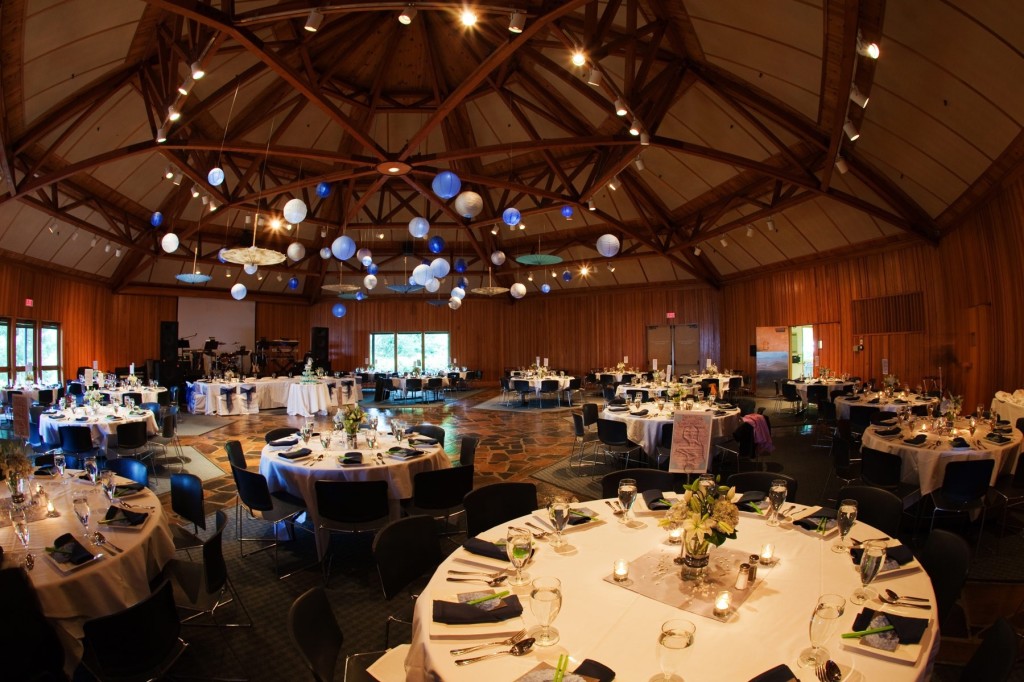
The World Forestry Center is s a nonprofit organization dedicated to creating and inspiring champions of sustainable forestry. Based in Portland, Oregon, the WFC provides critical programs in convening and professional development of global leaders and practitioners in forestry and related fields.
Through its World Forest Institute Program, the WFC hosts public and private events that bring forest professionals from around the world together to advance research and exchange ideas.
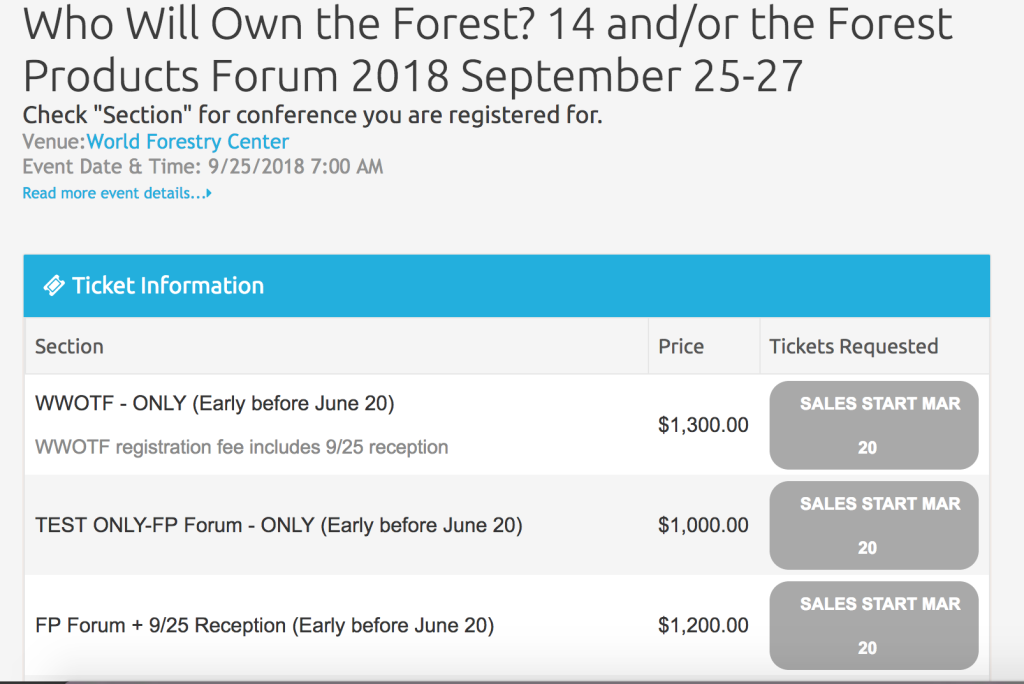
The center uses SimpleTix to manage registration for those events. Because they host multi-day conferences, registration prices tend to be $1,000 or more — which means they lose a lot of money on credit card processing fees. A 3% credit card fee on a $1000 registration is $30, which add up to $30,000 for 1,000 conference registrations. That’s a lot of lost revenue, especially for a nonprofit.
A Better Alternative
To avoid those fees, SimpleTix allows for a payment by invoice option that allows the WFC to send invoices for payment. If you’ve ever worked with invoices before, you know that it can be a real pain to generate them and process payments that are received from them.
The WFC runs multiple events simultaneously and does not have the staff resources to manually generate invoices and process payments. By using SimpleTix, they don’t have to.
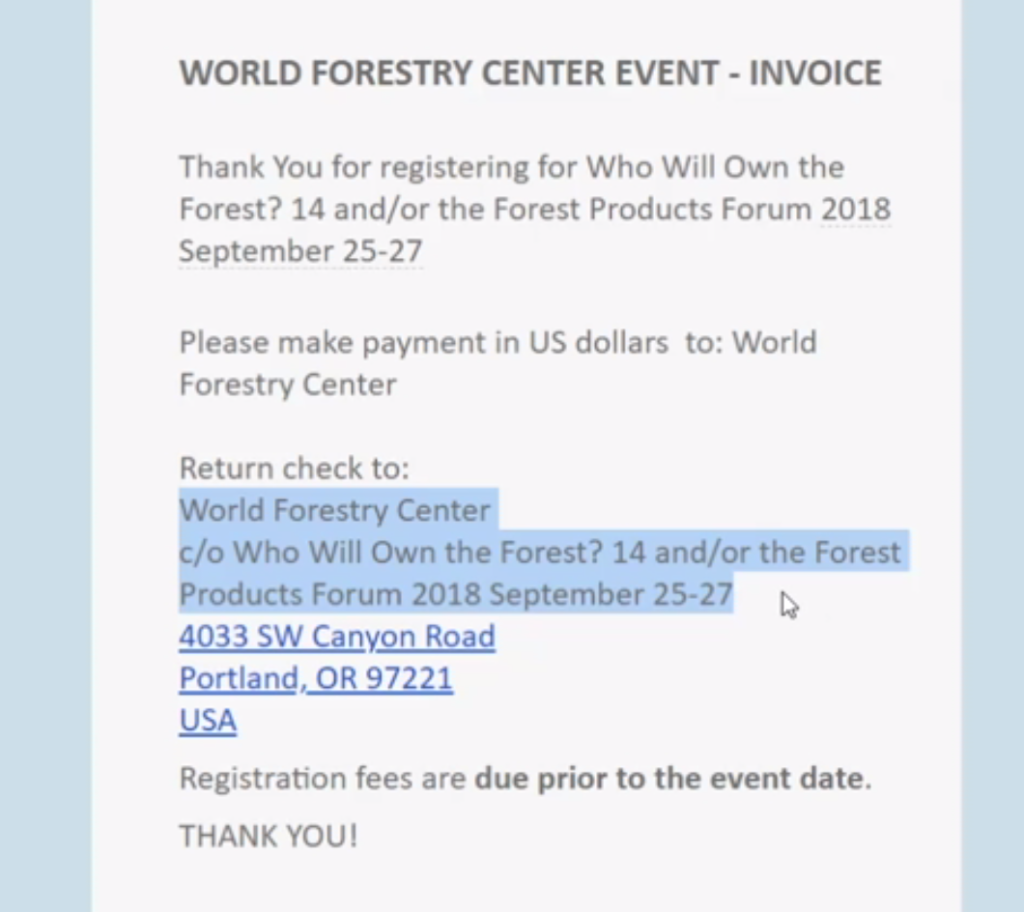
SimpleTix automates this process and incorporates it into the confirmation email that someone receives when they register for an event. Each registrant’s payment details are automatically loaded onto the invoice.
All WFC’s staff needs to do is add the event name and host to the invoice template. This is a one-time step that will remain in place for as long as the event is active.
Additional Options
SimpleTix makes it easy to use the same invoice template for multiple events. The invoice can be set up to automatically insert the event name, location, or any other details into the confirmation email. Options include:
- Event sponsor
- Event host
- Event director
- Event title
You can use those fields as described or to include any other piece of information you’d like. Your attendees will never know that you are using the field for a different purpose.
The same information you enter in those fields also appears on your event’s SimpleTix website. If you don’t want a particular field to appear, adjust the page’s CSS to remove it or email us at support@simpletix.com to have one of our team members update the setting.
The next time you are planning an event with high registration fees, consider using this option to save your organization and your attendees the extra cost of credit card fees.
Latest News
Related Articles

How Vala’s Pumpkin Patch Scaled to 100K+ Visitors with SimpleTix
-
 by
by
How Vala’s Pumpkin Patch Scaled to 100K+ Visitors with SimpleTix If you run a busy fall attraction, you already know the pressure: ticketing has to keep up when demand spikes, guests arrive in waves, and lines move fast. That is exactly what Vala’s Pumpkin Patch faced as it grew into Nebraska’s premier fall destination with more than 100,000 visitors each season. Founded in 1984, Vala’s Pumpkin Patch now draws huge crowds across 50+ attractions and multiple food stands. However, growth exposed weak spots in its old setup. Peak-morning surges strained the system, one technical admin became a bottleneck, and layered tools made operations harder than they needed to be. For Vala’s, the move to SimpleTix was about getting one reliable system for admissions, season passes, bookings, and on-site sales. Why Vala’s needed better farm ticketing software Dan McDonald, MS, PMP, IT Manager at Vala’s Pumpkin Patch, put it plainly: “We originally used a ticketing platform that served us well in our early years, but as our guest volume grew, it could no longer scale to meet demand.” That issue showed up in a few clear ways. First, the system struggled during peak-morning ticket surges. In other words, the exact time the platform mattered most was the time it became risky. Second, operations depended too heavily on one technical administrator. As a result, routine changes and troubleshooting could pile up around one person. Third, the team had to work across multiple layered applications. That created extra steps, more training, and more chances for something to break during the busiest weeks of the season. Finally, outdoor hardware added another challenge. Farm attractions do not run in perfect indoor conditions, so tools need to work in real weather and real crowds. The bottlenecks were operational, not just technical Vala’s wasn’t just trying to...

Best Eventbrite Alternatives for 2026: Lower Fees, Better Support, and More Control
-
by
Eventbrite Alternatives for 2026: Comparing SimpleTix, TicketSpice, Ticket Tailor, and TicketLeap If you’re looking for Eventbrite alternatives, you probably have a pretty specific problem: the fees feel too high, or the platform just doesn’t fit the way you actually run events. You don’t need more software for the sake of it. You need a ticketing platform that fits your event setup, works for your staff, and makes sense for your budget. This guide compares a few commonly compared options for 2026: SimpleTix, TicketSpice, Ticket Tailor, and TicketLeap. Instead of doing a feature dump, we’ll look at which type of organizer each one may fit best. What to look for in an Eventbrite alternative Before comparing platforms, get clear on what matters most for your event operation. For most organizers, it comes down to five things. 1. Fees that don’t eat your margin If you run low-cost tickets, fundraisers, seasonal events, or family attractions, fees add up fast. A platform can look fine on paper and still become expensive once volume picks up. SimpleTix keeps pricing straightforward: $0.79 + 2% per ticket, with no contracts, no subscriptions, and no fees on free events. You can also pass fees to attendees or absorb them yourself. 2. Ticketing that fits how you run events You may need more than basic GA tickets: timed entry, reserved seating, memberships, season passes, promo bundles, or waivers. That’s where differences between platforms start to show. Some are built around simpler setups. Others are better suited for venues, attractions, or recurring programs. 3. Easy check-in for staff On event day, check-in needs to be simple. Fast scanning, offline mode, and clear staff permissions can make operations smoother. 4. Tools for in-person sales If you sell at the gate, box office, or front desk, you’ll want to know whether...

Farm Ticketing Software: How to Set Up Spring Events, Season Passes, and...
-
by
Farm Ticketing Software for Spring Events, Season Passes, and Fall Admissions Spring setup gets hectic fast. School field trips, baby animal days, tulip weekends, strawberry openings, sunflower dates, pumpkin season planning, corn maze admissions — it all stacks up. If you’re looking for farm ticketing software that can handle seasonal traffic without adding complexity, SimpleTix gives you the tools farms actually need: timed entry, season passes, waivers, online and on-site sales, and same-day payouts — all for $0.79 + 2% per ticket. No contracts. No subscriptions. No fees on free events. Get started — $0.79 + 2% per ticket Built for farms that sell more than one kind of admission Most farms don’t run one simple event. You’re usually managing a mix of: Spring festivals and flower events School and homeschool visits U-pick reservations Summer camps or family activity days Fall admissions for pumpkin patches and corn mazes Photo sessions and specialty weekends Season passes for repeat local visitors That’s where basic ticketing tools start to break down. SimpleTix supports seasonal operations with timed General Admission, Season Tickets, Flex Passes, and in-person sales without juggling disconnected systems. Sell timed entry without creating bottlenecks at the gate Timed entry can help farms spread arrivals across the day. With SimpleTix, you can use General Admission with timed entry and capacity management to help: Reduce long entry lines Control parking and staffing pressure Avoid overcrowding in high-traffic areas Improve the arrival experience Keep peak weekends more manageable This matters in spring when weather windows are tight, and it matters even more in fall when everyone shows up at once. At the gate, staff can use the SimpleTix Organizer mobile app on iOS or Android to scan tickets quickly. If connectivity is spotty in the field, offline scanning mode helps keep the line moving....