VW Festival in Wales using CodeReadR and SimpleTix
-
 by
by
Vikram, Head of Growth and Co-Owner at SimpleTix, brings a performance marketing background from SeatGeek and early stage startups to SimpleTix’s partnership and growth efforts. A lifelong live event enthusiast, he’s focused on expanding the tools organizers rely on to connect with their audiences.

As an event planner, some things — like the strength of
Wi-Fi or cell phone reception — are not always in your control.
The SimpleTix integration with CodeReadR is one solution to this problem. CodeReadR is an app that you can install on any Android or iOS device. The CodeReadR team tests their app on hundreds of different types of devices to ensue compatibility.
It was recently used by the Dubs at the Castle VW Show, a classic Voklswagon car expo and camping event, held each July in Monmouthshire, Wales.
The Monmouthshire area has poor cell reception, which meant organizer Nigel had a difficult time scanning tickets.
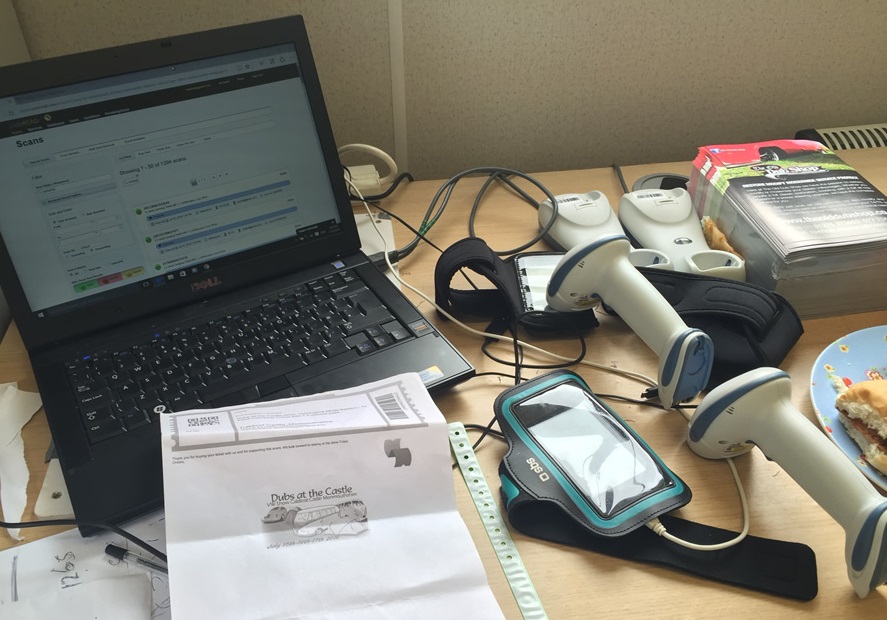
Prior to the event, Nigel went to the SimpleTix’s attendee list screen and clicked the option to download the list for CodeReadR. From there, he logged into his CodeReadR account and imported the list. (Here’s a step by step video on how to do that)
He was able to use CodeReadR to scan tickets based on the downloaded list without WiFi or 3G/4G service.

The staff used a sport band around the their scanning device so they did not have to hold it while scanning tickets.
This provided additional comfort and flexibility during the scanning process.
The festival, which brings thousands of VW enthusiasts to Wales each year, also utilized a WiFi hotspot to sync data across devices every 15 minutes throughout the day.
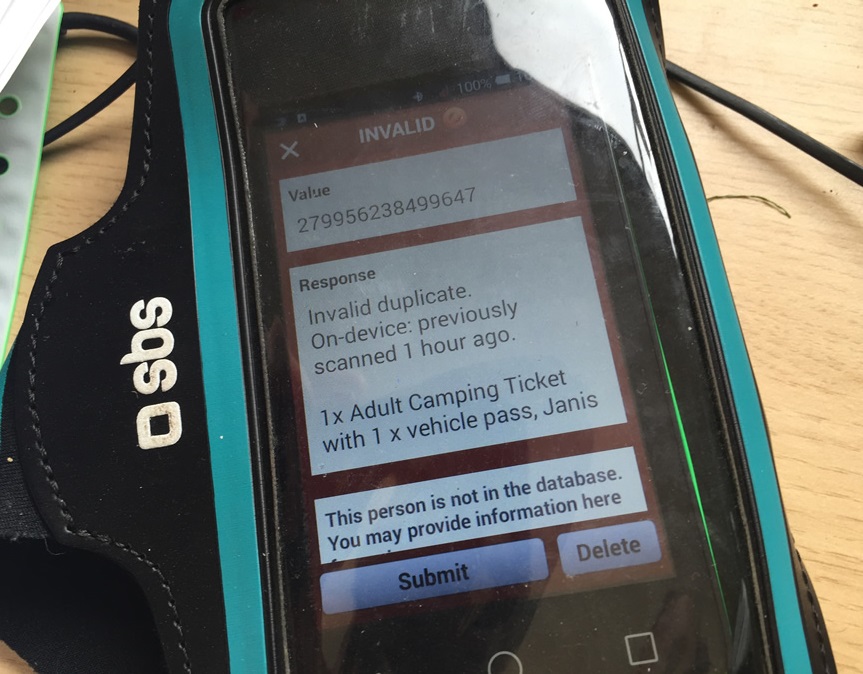
The festival also used a Motorola DS6878 scanner. Its wireless capability allowed staff to easily move between cars as they entered the festival.
These scanners last all day on a single charge, and can be recharged with portable USB power adapters.
At the end of the festival, data was uploaded back into SimpleTix to provide an accurate attendance count and allow for post-event communication with participants.
Latest News
Related Articles

Accept In-Person Payments with Stripe in the SimpleTix Organizer App
-
by
Event organizers can now conduct Stripe in-person ticket sales directly through the SimpleTix Organizer app using Stripe Terminal Selling tickets at the door should be easy. Now it is. SimpleTix now supports Stripe in-person ticket sales directly inside our Organizer mobile app using Stripe Terminal, giving event organizers a simple, secure way to accept credit card payments anywhere. Whether you’re running a concert, festival, class, fundraiser, or community event, you can now turn your phone into a fully integrated mobile box office. Sell Tickets at the Door — Without the Chaos Door sales are often where revenue is won or lost. Long lines, cash-only limitations, manual entry errors, and disconnected payment systems create unnecessary stress. Even worse, using a separate POS system means double entry and messy reconciliation after the event. With Stripe Terminal integrated into the SimpleTix mobile app, everything stays in one system: Accept credit and debit cards in person Support Apple Pay, Google Pay, and contactless cards Automatically sync ticket inventory in real time Issue tickets instantly See online and in-person sales in one dashboard A True Mobile Box Office for Event Organizers Small and mid-sized event organizers need flexibility. Events don’t always happen behind a counter. Now you can sell tickets: At the entrance At pop-up locations Inside large venues At festivals and outdoor events From multiple staff members simultaneously All transactions process securely through Stripe, while ticket inventory updates immediately in SimpleTix so you never oversell. Fast, Secure, and Reliable Stripe Terminal provides enterprise-grade payment security, including: EMV chip card processing End-to-end encryption PCI-compliant transactions Contactless and mobile wallet support You get the reliability of Stripe’s payment infrastructure combined with the simplicity of SimpleTix’s event management platform. Why This Matters for Growing Event Organizers For small to medium-sized events, adding a full POS system can...
PayPal Ticketing Software: Sell More Tickets with Trusted Payments
-
by
When ticket buyers reach your checkout page, the last thing you want is friction. Every extra step, every unfamiliar payment form, every moment of hesitation costs you sales. That's why offering PayPal—the payment method over 400 million people already trust—can transform your ticket conversion rates. SimpleTix integrates directly with PayPal to give your attendees a seamless checkout experience. One integration unlocks PayPal, Venmo, Pay Later options, and credit card processing—all the ways your customers want to pay. Activate PayPal → Why PayPal Matters for Event Ticketing Your attendees aren't just buying a ticket. They're making a decision in a moment—often on their phone, often in a hurry. PayPal's brand recognition removes doubt at the exact moment it matters most. The numbers tell the story: merchants using PayPal see 46% higher checkout conversion compared to other payment methods. For event organizers, that translates directly to more tickets sold from the same marketing spend. PayPal isn't just another payment option—it's your all-in-one checkout solution. Through a single integration with SimpleTix, you can offer: PayPal — The trusted standard for online payments Venmo — Tap into 92 million active accounts (US) Pay Later — Let customers pay in installments while you get paid upfront Credit and debit cards — Visa, Mastercard, Amex, Discover at competitive rates Country-specific payment methods — Reach international customers with local payment options Increase Average Order Value with Pay Later Ticket buyers don't always want to pay everything at once—especially for premium events, multi-day festivals, or group purchases. PayPal's Pay Later options (Pay in 4 and Pay Monthly) let customers split their purchase into manageable payments while you receive the full amount immediately. This isn't just convenient for buyers. It drives measurable business results: merchants with Pay Later see 55% higher average order values compared to standard PayPal transactions....
Eventbrite Is Being Acquired. Here’s What It Means for You.
-
by
On December 2, Eventbrite announced it's being acquired by Bending Spoons for ~$500M, down from a $1.7B peak valuation. The deal takes Eventbrite private and puts it in the hands of a firm known for aggressive cost-cutting and price increases. If you're an Eventbrite customer, this is worth paying attention to. Who is Bending Spoons? Bending Spoons is a Milan-based tech company that acquires underperforming software brands (Evernote, Vimeo, WeTransfer, Meetup, AOL) and restructures them for profitability. Their playbook is consistent: cut headcount (often 50-75%), raise prices, and streamline operations. That's not speculation. It's their stated model. What This Likely Means for Eventbrite Customers Higher fees. Bending Spoons is explicit about monetization being a priority. Eventbrite has already experimented with pricing over the past two years. Expect that to accelerate. Reduced support. Major headcount reductions typically mean fewer experienced support reps and longer response times, especially during the transition. If you run complex events (reserved seating, multi-day festivals, timed entry), this matters. Product stagnation. Ownership changes usually mean roadmap resets and internal focus on cost savings. Don't expect new features anytime soon. Questions to Ask Yourself You don't need to panic. But you should treat this as a prompt to evaluate your options: What are you paying in total fees today? How sensitive is your margin to a 10-20% increase? How critical is hands-on support to your events? Can you afford slower response times mid-season? What's your contingency plan if pricing or policies change after you've already committed to your event calendar? If any of those questions give you pause, now is the time to explore alternatives, not after new pricing is announced. Why SimpleTix Is Different SimpleTix was built for organizers who care about margins, flexibility, and responsive support. A few key differences: Transparent pricing with a hard fee...