Blog
The Modern Shuttle Bus Tickets
-
 by
by
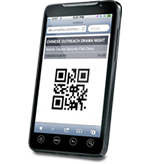
Traditionally you walk up to a bus ticket window, buy a ticket, and get a paper ticket like this. If you sell the shuttle bus tickets online the work flow is much different. When you sell shuttle bus tickets with SimpleTix, the end-users can have the tickets sent directly to their smart phones. This allows you to sell tickets anywhere, not just a single kiosk. You can advertise your shuttle bus service on elevator banner signage or on the back-side of a luggage cart. Potential customers can scan a QR code on the ad, which takes them right to the page where they can purchase the pass. At the end of the transaction they can have the eTicket voucher sent to their smart phone via SMS or eMail. Real-time Data With paper tickets you do not have any real-time data about how many passes have beed used per day. How many have been redeemed versus abandoned. With SimpleTix you'll have real-time reporting on how many passes have been sold, redeemed, and outstanding. This can allow you to make quick decisions such as adding additional drivers. You can also track where the users are coming from. For example if you're paying a high rate for advertising on an elevator signage, but getting little results, while paying less to advertise to advertise for a spot on the baggage carousel, SimpleTix will provide in-depth reports to tell you. Turtle Beach resort in Australia has been having great success with SimpleTix for selling shuttle bus tickets for both airport pickups as well as entertainment transportation.
Sell Event Tickets on Strikingly, Weebly and Wix!
-
by
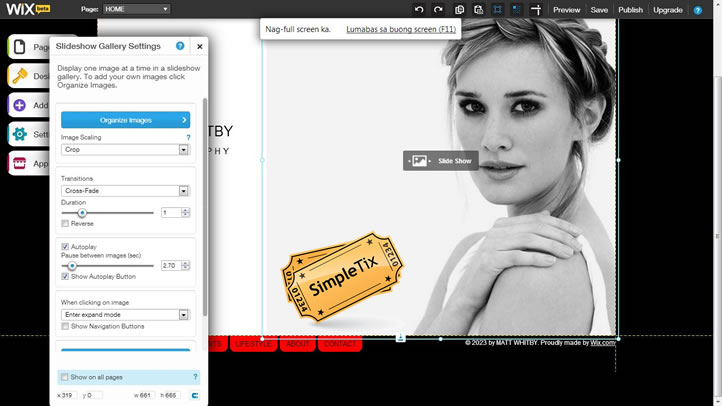
The SimpleTix iframe and ajax widgets can be used on any website builder to sell your event tickets on line. Easy to use website builders like weebly.com, strikingly.com and wix.com all have tools for you to drag and drop custom code right on to your webpages. Here is how to use SimpleTix with weebly and wix. Please note strikingly.com works the same way if you have a pro account.
The best ticket printer yet! Zebra GC420
-
by
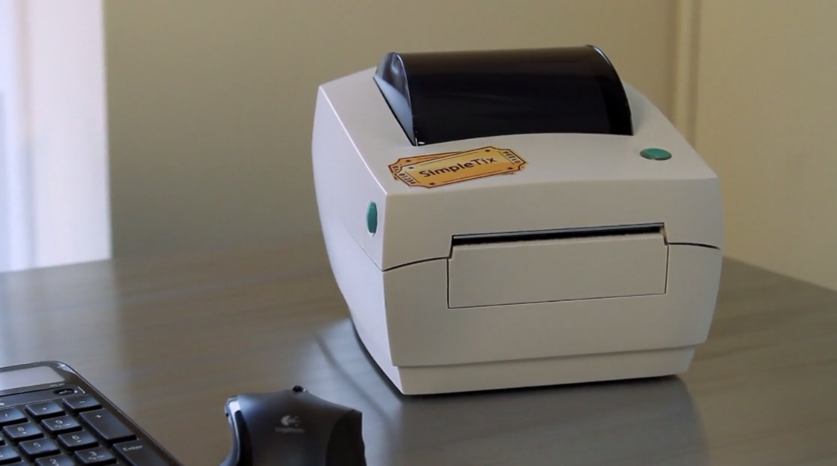
Over the years we've compared many types of box office point-of-purchase ticket printers. The Boca ticket printer is great, however it's expensive and takes a few weeks to ship out after being ordered. The Epson T88V has a low price, easy to use, however the tickets feel very "cheap" due to the receipt paper's thinness. The Zebra GC420 gives you the best mix: low price, easy to use, ships same day you order, and offers a quality ticket. Zebra GC420BocaEpson Paper StockCard Stock Ticket Card Stock Ticket Receipt Size 2.5" X 4" 2" X 6" 3.25" Wide MSRP $500 $1,500 $400 Ship Time Same day 3 Weeks Same Day In the GC420™ label printer, affordability meets high quality. This direct-thermal printer’s compact, space-saving design contains a powerful 32-bit processor for fast label throughput with a large memory for more graphics storage, longer label formats, and faster processing on media up to 104mm wide. (more…)

10 Ways to Create Social Media Buzz with Pre-Events
-
by
Getting the word out about an event can be a daunting task, but it doesn't have to be. It may seem easier to reach your intended audience with technology, but there is a lot of “noise” to shuffle through. There are some simple strategies and tools that you can use to make your job easier. And get a big showing at your next event! 1. Consider making a Pre-Event open to the general public to gauge your crowd. For instance, if you are having a documentary movie premier, you may want to host a Q&A session with the producer or a “Meet the Cast” night. Open events generate the most initial interest on social media and it’s a great way to gain a following. 2. When hosting a pre-event collect email addresses. You can use the emails to share publicity about the main event. You might want to have a free raffle prize at the door and notify people of a winner via email. You can contact participants from your pre-event and remind them to buy tickets for the main event. SimpleTix actually allows you to do this process with ease. By creating a landing page, people can register for your pre-event with an email address, and the process is streamlined. 3. Reach out to the press for pre-events. Think about how you want to approach any press for your event. You want to contact reporters early in advance and grant them exclusive access to high profile presenters, or plan your event to relate to current events. For instance, some neighborhoods have appreciation weeks or community days. Personally, I attended a Food and Wine Festival sponsored by the San Antonio Restaurant Association, after I saw a sampling of the food on a morning show. Think ahead of the game when...
Box Office Credit Card Swiper
-
by
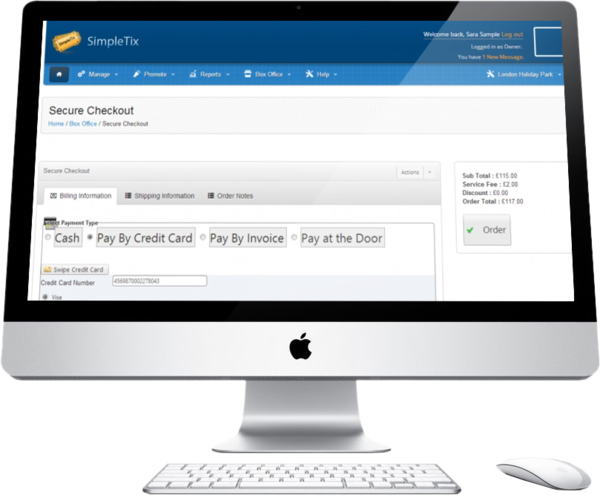
We’ve just added a great new feature to the box office checkout page. You can now swipe credit cards directly on the box office checkout page. No need to type in the customers: First & Last Name Credit Card Number Expiration Month & Year … It’s automatically filled in for you! To you this new feature you’ll need to buy a generic credit card swiper, you can order this from your SimpleTix manager’s panel. How to use it Once you’ve plugin in the credit card swipe make one update on the box office preferences: Now when you reach the box office checkout page and choose “Pay by Credit Card” you’ll be able to swipe the credit card to get it’s data. After swiping the card the required checkout fields are complete! You can now click the big “Order” button to complete this transaction. If you don’t have a credit card swiper and just want to see how it works. Copy the text below and paste it into the credit card window when it appears, then click [enter]. B4569870002278043^BERNARDO/MELISSA^0706101112120000000000826000000

More Control of Promo Codes on Tickets
-
by
We've enhanced the settings on the promo codes to allow you to limit the amount of tickets a code an be applied to. Let's say you want to offer a promo code for $3 off a class, but you'd like to limit it to just 3 tickets, now you can! In this example above the customer selected 6 tickets, since the promo code can be applied to a maximum of 3 tickets only the 1st 3 get the discount, the next 3 are full price. As always we've designed this to be very flexible and offer you the maximum configuration options. Here's are the 3 ways you can set the limitation: Limit this per same event time and section. If you set the max tickets allowance to 2, if the customer selects 4 tickets (2 tickets in 2 different sections at the same event time) All 4 tickets will be eligible for the discount. This is the most “generous”, because the limit is smaller Limit this per same event time. (Will apply limit across sections) If you set the max tickets allowance to 2, and if the customer selects 4 tickets (2 tickets in 2 different sections at the same event time) Only 2 tickets will be eligible. If the tickets were for different dates all 4 would be eligible. Limit this per same event. (Will apply limit across times and sections) If you set the max tickets allowance to 2, and if the customer selects 4 tickets (2 tickets at the different event times) Only 2 tickets will be eligible. This is the least “generous”, because the limit is greater
Great way to use FaceBook and Sell Tickets
-
by
Facebook is a fantastic way to list your organization's events and track who's coming. When you combine it with SimpleTix it is an even better solution, because you can sell tickets too. When creating an event in Facebook, simply enter in the event time page's URL into the ticket website address textbox. Your Facebook fans can click the link and buy tickets with ease. You can also choose to share this event and post it on your wall. After doing this you can choose to promote the event. By paying just a few dollars you can extend your reach to your friends' friends' news feeds. It's one of the best ways to get the word out about your event and go viral.
Best Practices for Building Your Interactive Seating Charts
-
by
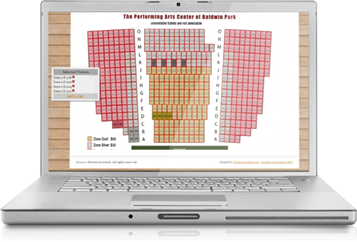
There are many cool websites that allow you to raise funds for your organization or projects. You can raise these funds as either an individual or non-profit. For sites that focus only on fundraising you will pay anywhere between 3-9% in fees on the money you raise. The average fee is about 5% plus a merchant processor fee. When you combine Fundraising and Events, fees increase significantly. If you want to fund raise and host an event via online methods, oftentimes you will have to sign up for 2 different services. In response to the demand of online ticketing and donation services, many fundraising sites and event sites have teamed up together to offer both donation and event services. It may seem like an easy and convenient option. However, you are often left with using two different tools and sites that are not fully integrated. In the end you may still end up with two different sites and services to manage. First Giving has teamed up with Eventbrite, Donate Now works with Givezooks. For services that allow both, you are limited to one type of ticketing mode and one type of donation mode. With SimpleTix service you have 9 different styles of ticketing, the ability to host your entire site on SimpleTix or have us match your site. Site matching enables you to keep all of your branding. You are not left having to settle for one generic events and donation page. With SimpleTix you can create a fundraising page. Supporters and event attendees can shop for your event, add a donation, and pay as part of one transaction. For your enthusiastic supports, they can use social sign in to promote your event and fundraising efforts on Facebook, Twitter, Linked In and others. By using SimpleTix for your events and...

Fundraising and Event Ticketing, the true costs!
-
by
There are many cool websites that allow you to raise funds for your organization or projects. You can raise these funds as either an individual or non-profit. For sites that focus only on fundraising you will pay anywhere between 3-9% in fees on the money you raise. The average fee is about 5% plus a merchant processor fee. When you combine Fundraising and Events, fees increase significantly. If you want to fund raise and host an event via online methods, oftentimes you will have to sign up for 2 different services. In response to the demand of online ticketing and donation services, many fundraising sites and event sites have teamed up together to offer both donation and event services. It may seem like an easy and convenient option. However, you are often left with using two different tools and sites that are not fully integrated. In the end you may still end up with two different sites and services to manage. First Giving has teamed up with Eventbrite, Donate Now works with Givezooks. For services that allow both, you are limited to one type of ticketing mode and one type of donation mode. With SimpleTix service you have 9 different styles of ticketing, the ability to host your entire site on SimpleTix or have us match your site. Site matching enables you to keep all of your branding. You are not left having to settle for one generic events and donation page. With SimpleTix you can create a fundraising page. Supporters and event attendees can shop for your event, add a donation, and pay as part of one transaction. For your enthusiastic supports, they can use social sign in to promote your event and fundraising efforts on Facebook, Twitter, Linked In and others. By using SimpleTix for your events and...

Creating a donations page for your site is super easy!
-
by
SimpleTix offers an easy way to accept donations online. Fund raise for your event, organization, or both. To set levels of giving and categories from your Administrative Panel, go to: Products > Donations Manage the details and description of donations in the Content Manager. From the Administrative Panel, go to: Content > CMS > Donations Here is where you get the opportunity to style your page and add content. When fundraising, presentation is always an important factor in getting donors to understand why they should support your cause. Here are some steps to take when creating your donations page. Create a Donations Page 1. Describe how funds will be used – Give specific examples of what the money will be used for. And, how your donor contributions benefit your organization and project. 2. Tell your story – Add images and provide details about who you are, your organization, history and past projects. 3. Create an ask video – Engage your donors by creating a video, upload it to YouTube/Vimeo and embed it on your SimpleTix donations page. Everyone likes a good video. It doesn't have to be super fancy, a basic video will go a long way in helping donors understand your cause. 4. Add Perks – Many crowd fundraising sites offer a perk in exchange for contributions. Although SimpleTix is not a crowd funding site, you can use these same principals to increase contributions. Add graphics that demonstrate levels of giving and perks you are offering, like event tickets. Most importantly deliver on those perks. 5. Know your legal responsibilities – If you are a non-profit with a 501(c)(3) status, you may already be aware of reporting responsibilities. If you are an individual do your research about any legal or tax consequences. Additionally, if you are using PayPal as your payment...
Ticketing + Related and Recommended Products
-
by
SimpleTix now support the ability for you to recommend products per event/show. This can be useful for: Dinner and a show events - list & sell the dinner options Dance/concert events - list & sell bottles Certification courses - list & sell course material, like: handbooks and DVDs Music Programs - list & sell lunch options The will be a Event Timespecific report that lists the: products, buyer's name, and order info. This gives the venue staff an easy way to track what products do prepare per event time. Below is an example of how a music program took advantage of this new feature.
Using Boca Style Tickets
-
by
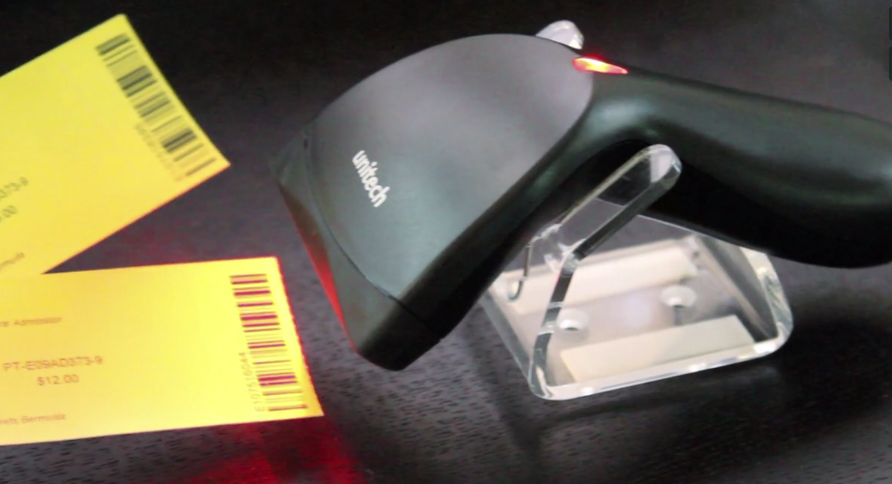
Thermal tickets are printed for movies, theater performances, sporting events, festivals and museums. Want the same ticket-printing capabilities as a pro sports stadium or top movie chain? You can do this with SimpleTix. You will need a Boca ticket printer. Boca style tickets are 2 inches by 5.5 inches. SimpleTix supports over 15 different layouts. Both vertical and horizontal style layouts. Boca ticket printers cost around $1,500, you can buy used ones for around $1,000. You can order thermal paper in a variety of types and colors. We recommend: Ticket size: 2" x 5.5" Trail edge perforation: 1" Right side perf (see the white arrow in this image) Be sure not order a layout with a double perf, which would be like the lower ticket in this image.